Pages

Showing posts with label Record Type. Show all posts

Wednesday, October 26, 2022

Salesforce: Field Dependency across Record Type

This is to continue the previous blog Record Type on Creation, the scenario here: for the same user, the list of values for a picklist field configured as a dependent field should be different across record types.

Steps:

1. Set the field as a dependent field
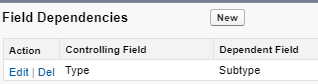


2. Include ALL values of the dependent field in the controlling field, not only for a specific record type
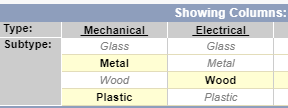


3. Configure the field values available for each record type
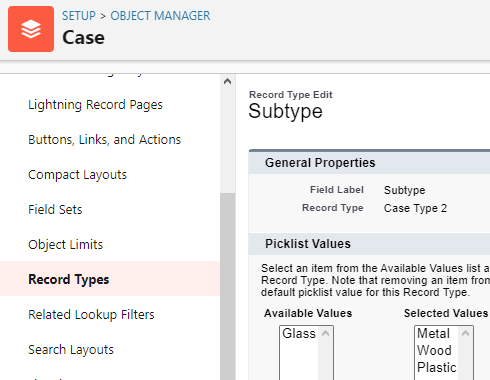

4. Done


Now, you should see different available values for each record type for the same field.
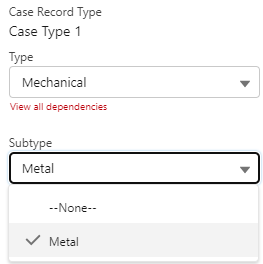


Same user, same field, different record type, and different list of values.


Salesforce: Record Type on Creation

Background: a user does not see the Record Type prompt when creating a new record.

This is probably caused by:

1. The user profile is not enabled for certain record types of an object

To check this, go to the user profile, not to the object.

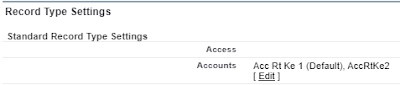
Looks for Record Type Settings


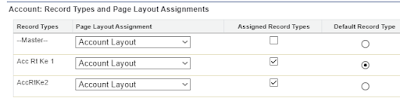
If you have Enhanced Profile User Interface enabled, look for Objects Settings, then Record Types and Page Layout Assignments


Additionally, you also can enable record type for certain users with permission set, see this blog.

Note: even if a user can't create a record with a specific record type, because it is not enabled, the user will be still able to access the record, as that is controlled by record visibility.

This scenario (no record type prompt) only happened when there is only 1 record type enabled for the user.

2. The user sets Default Record Type

Go to User Setting, and looks for Set Default Record Type under Display & Layout.

Note: this is not Advanced User Details and is not configurable by the admin, so the admin needs to log in as the user to check.


Reference:

Page-level ad